For iPhone, iPad and Mac
Recito teleprompter
Your words. Your pace. Eyes on the camera.
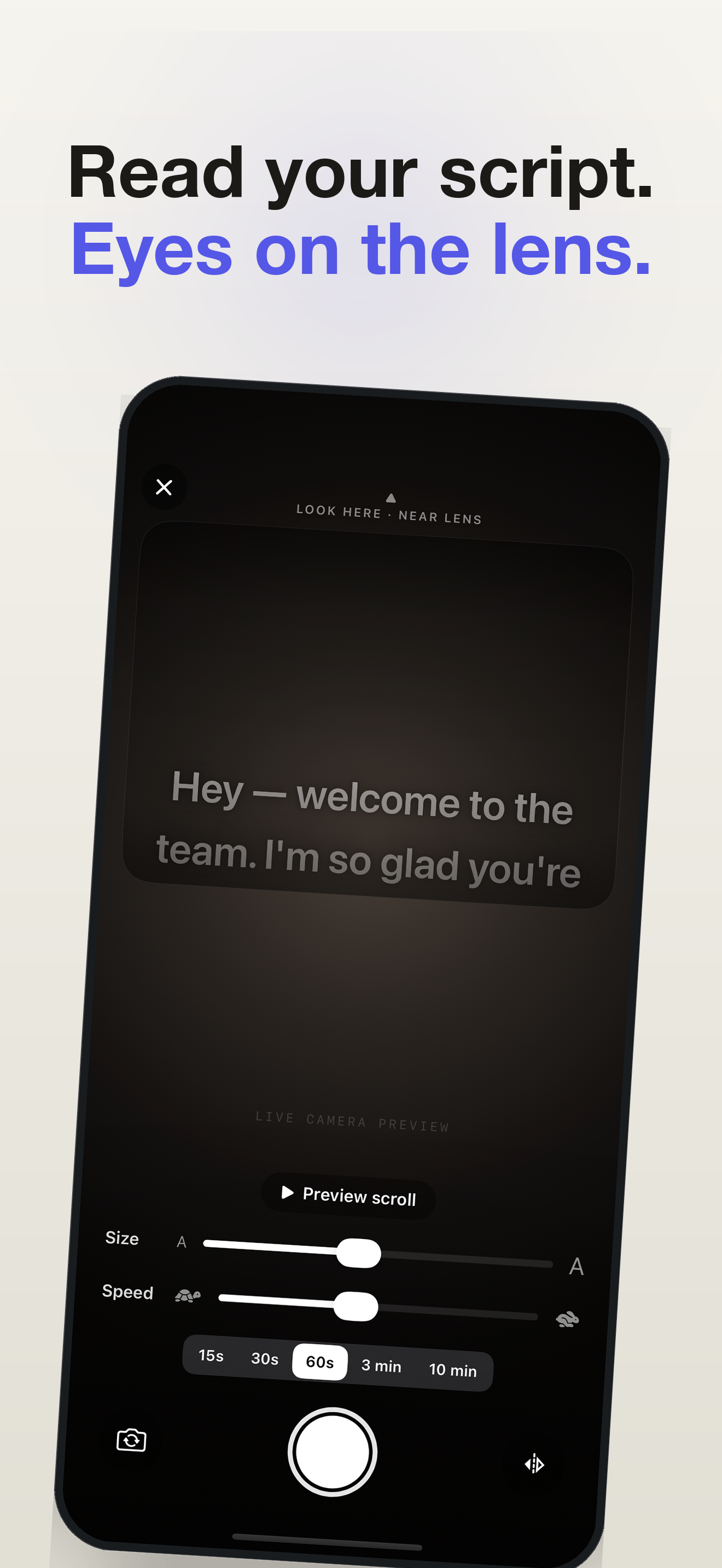
Read your script over the live camera while you record. The words sit right under the lens, so you look into the camera instead of down at your notes.
Free to start. No account. No subscription.
- Pause and resume
- One video, no lost take
- Your recordings
- Saved to Photos
- Recito Pro
- One-time purchase
From script to saved take
A little less memorizing.
A lot more you.
Your script stays close to the lens. Read at your own pace, pause when you need to, and pick up where you left off. The parts become one video.
Read the recording guideMade for the whole take
The prompter sits on the lens
The script scrolls high, right under the camera, on a frosted scrim that stays legible over any background — so reading reads as eye contact.
Dial it in live
Adjust font size and scroll speed with a slider, preview the scroll before you record, or grab the text with your finger to scrub mid-take. Mirror mode supports beam-splitter rigs.
Hands-free with a remote
A Bluetooth camera remote, the volume buttons or Camera Control start and pause your take, whichever button your remote sends. Keyboards, page turners and presentation clickers work too: Space to start and pause, the arrow keys to move the script.
Your scripts, your order
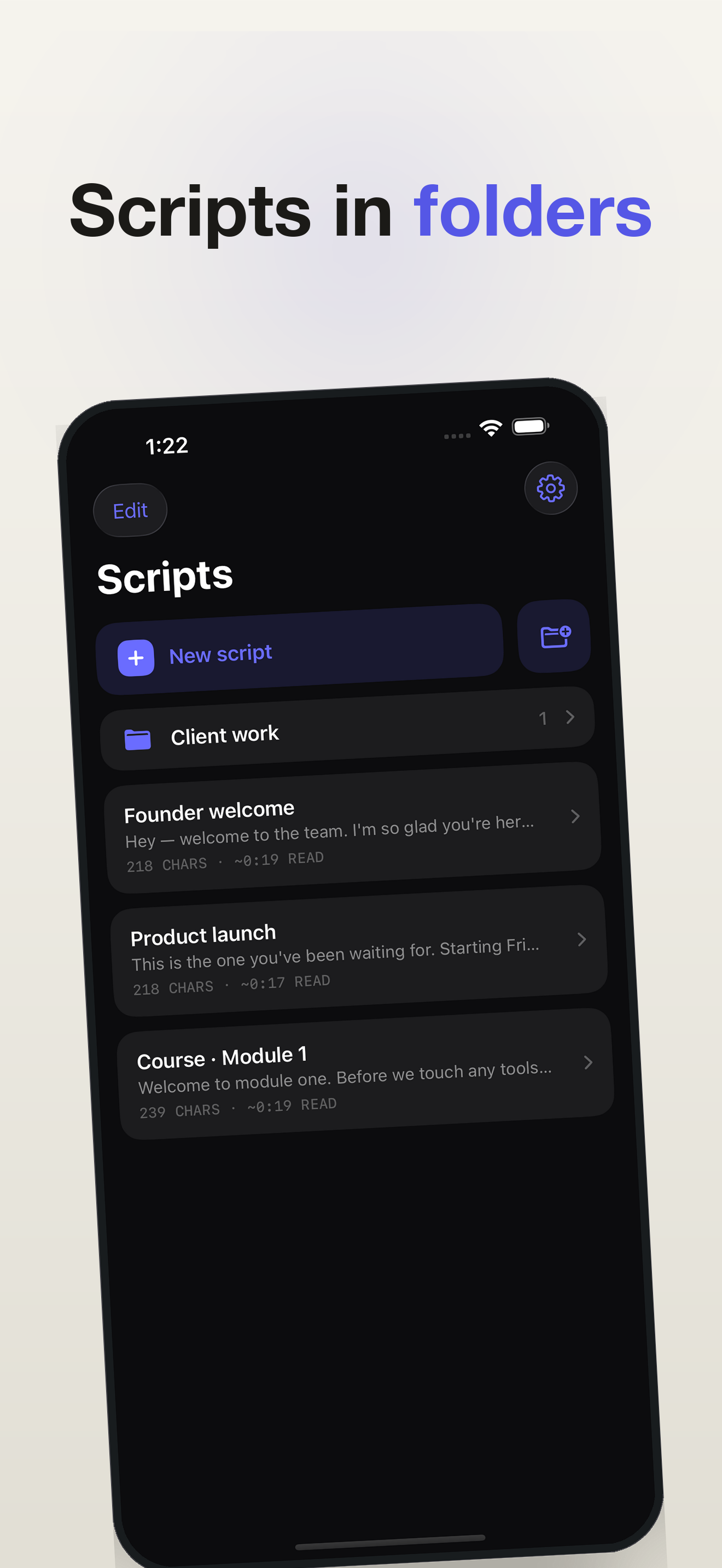
Folders, and your own order: drag scripts where you want them, or keep the last edited on top. On iPad and Mac, folders and scripts sit in a sidebar beside the script you're writing, as in Notes.
Takes, with a pace coach
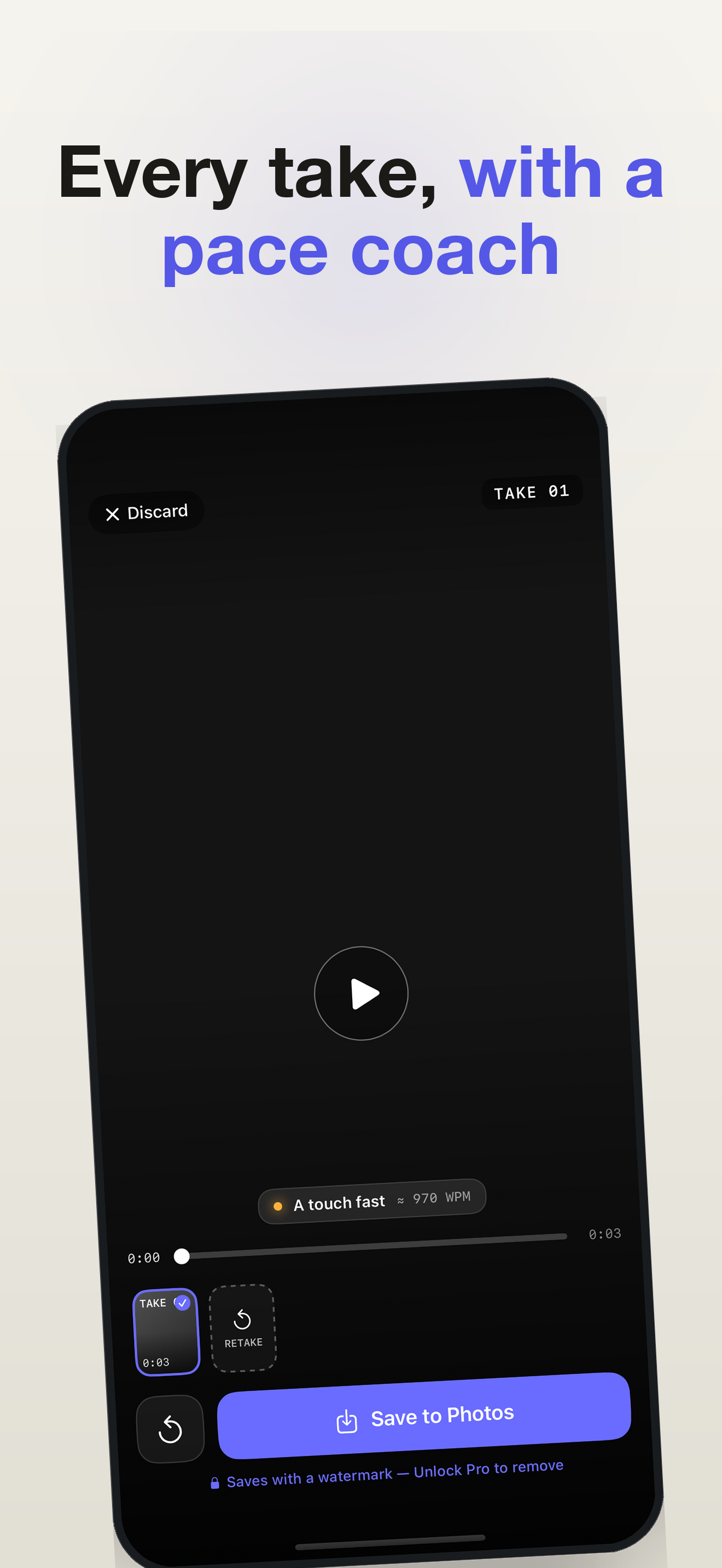
Shoot several takes, play them back, and see your speaking pace in words-per-minute — relaxed, great, or a touch fast — then keep the best one.
Yours, on device
Records straight to Photos at 1080p, ready for Reels, Shorts, or TikTok — free saves carry a small watermark. No account, no cloud, no analytics — the privacy label reads "Data Not Collected."
Pause without losing the take
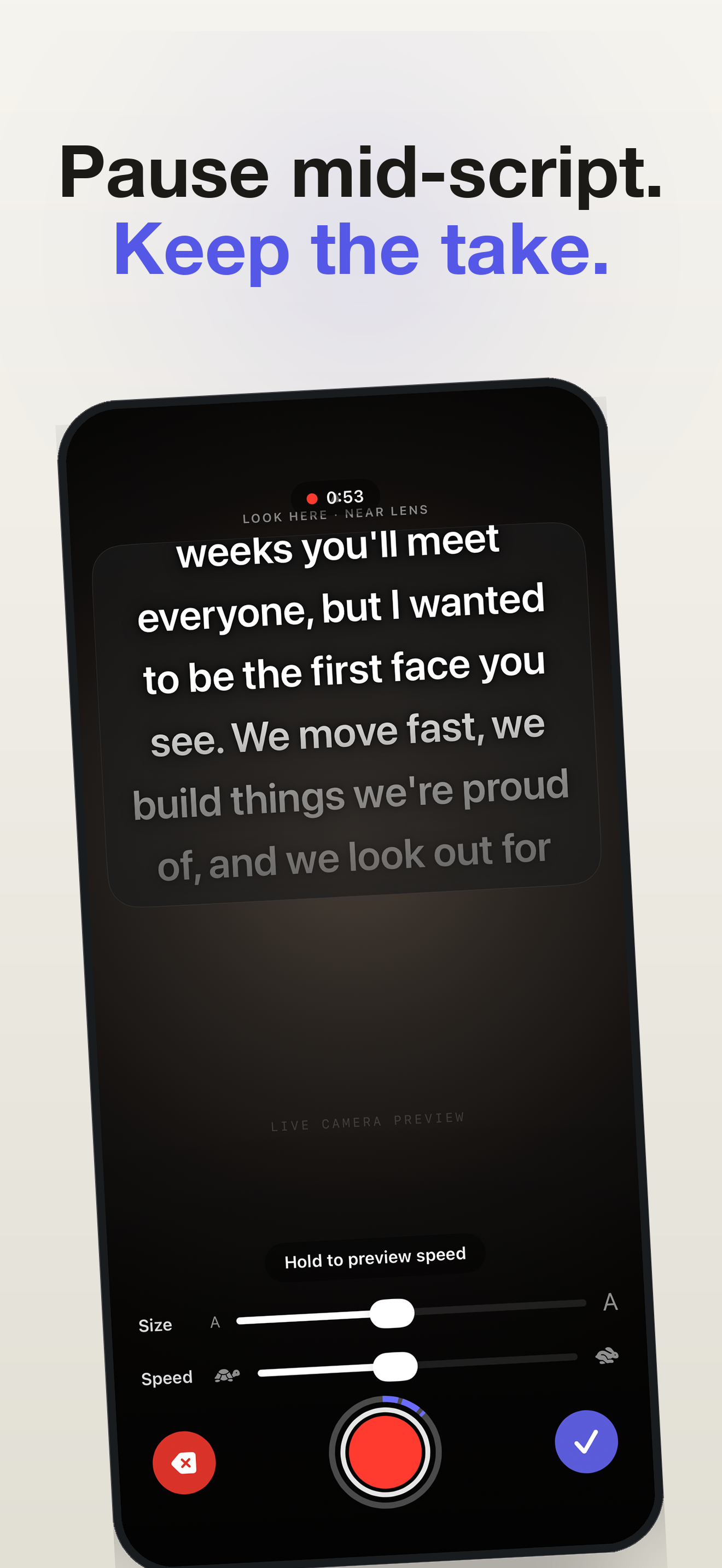
Fluff a line and you don't start over. Pausing freezes the prompter on the word you stopped at, so you carry on from exactly there — and you still get one video. Delete just the part you fluffed and the script rewinds with it.
In your language
Available in English, French, German, Spanish, Portuguese and Italian. Requires iOS 17 or later on iPhone and iPad, or macOS 14 or later on Mac.
How it works
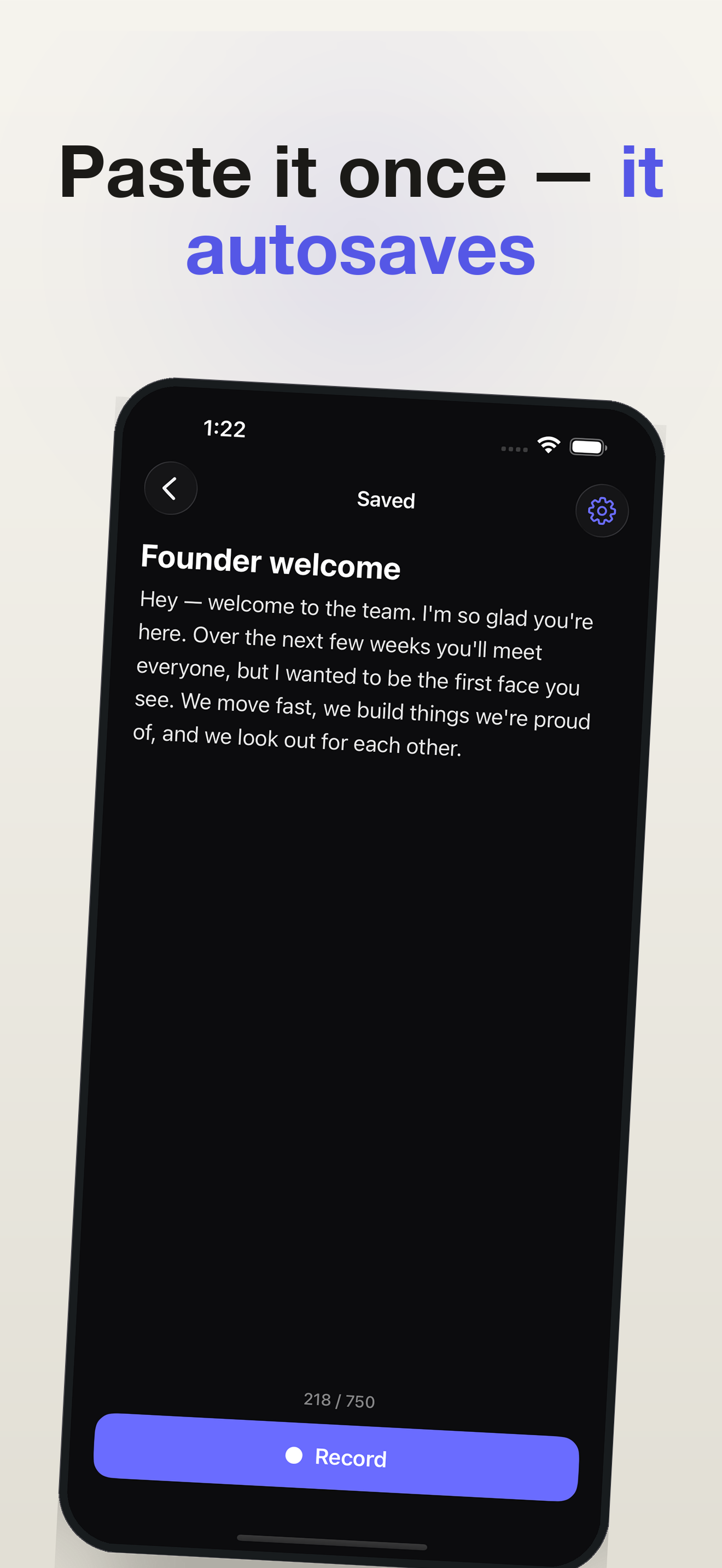
- Write. Type or paste your script. It autosaves on your device.
- Record. A 3-2-1 countdown, then the script scrolls over the live camera while you look into the lens. Pause any time — the prompter waits on your word.
- Review. Play your takes back, check your pace, and pick the keeper.
- Save. Export to Photos — ready to post anywhere.
Start free. Make it yours once.
One-time payment, no subscription. Writing scripts, the teleprompter, and recording are free. Recito Pro removes the watermark and script limit, and adds 4K recording on supported devices. Check the App Store for the price in your region.
Everything you need to read and record.
- Full teleprompter over the live camera
- On-device voice-following
- Adjustable size + speed, preview, finger-scrub
- Mirror mode for beam-splitter rigs
- Record to Photos, multiple takes, pace insight
- Scripts up to 750 characters
- Records and saves at 1080p, with a small "Recito" watermark
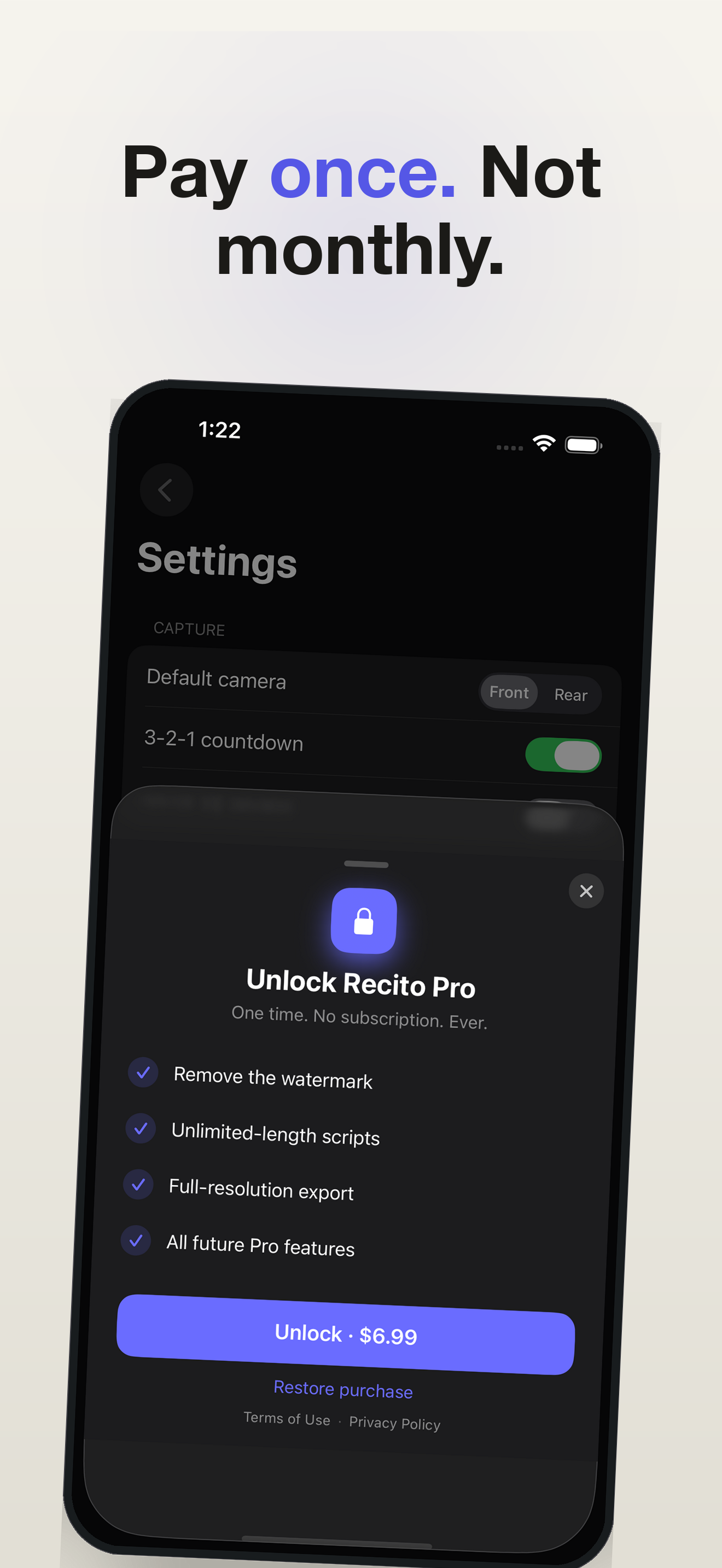
Unlock once. No subscription. Ever.
- Everything in Free
- No watermark on your videos
- Unlimited-length scripts
- 4K video, where your device records it
- Restore on any device on your Apple ID
Pay once. Not every month. The free tier is fully usable — the watermark and the 750-character limit are the only nudges, and one tap removes them for good.
Privacy you can audit
Recito does not collect any data. There are no analytics SDKs, no crash reporters that phone home, and no network code outside StoreKit (which Apple handles for the one-time purchase). Your scripts and recordings live only on your device. See the privacy policy for specifics.
A few things you might be wondering
Is Recito a free teleprompter?
Yes. Writing, voice-following, prompting and recording at 1080p are free. Free scripts can contain up to 750 characters, and saved videos have a small watermark. The optional one-time Pro purchase removes both limits and adds 4K on supported iPhone and iPad cameras.
Does voice-following work in every language?
Voice-following needs an on-device speech model for the script's language. Availability depends on the language and device, independently of the app's six interface languages. If a model is unavailable, you can use the adjustable scroll speed instead.
Does it work offline?
Yes, entirely. Recito has no server and makes no network requests beyond the App Store purchase itself. Aeroplane mode changes nothing about recording.
Do my videos get uploaded anywhere?
No. Scripts and recordings stay on the device and only move when you save to Photos or share them yourself. The App Store privacy label reads “Data Not Collected”.
What does the one-time unlock include?
Removing the watermark, unlimited-length scripts, 4K on devices whose camera supports it, and all future Pro features. Recording, the teleprompter, multiple takes, 1080p and mirror mode are free. There is no subscription.
Can I bring in a script I already wrote?
Paste it in. Scripts autosave as you type, live in folders, and show an estimated read time so you know how long a take will run before you start.
Do I need an account?
No. There is no sign-up, no login and no email required — you download it and start writing. The unlock is tied to your Apple ID, so Restore brings it back on a new device for free.
Does it work on iPad and Mac?
Yes, and one purchase covers all three. On iPad the teleprompter can be dragged and resized anywhere on screen; on Mac it runs in a real resizable window. See Recito for Mac.
What are you recording?
How to self-tape an audition
What casting looks at, where your eye-line goes, and how to save a take after one fluffed line.
Recording Reels and TikTok
Why an off-axis eye-line costs watch time, and how to write short-form to length before you record it.
Long-form for YouTube
Recording eight minutes as sections joined into one video, instead of one pass you keep restarting.
Presentations and class videos
Fitting a recorded talk inside its time limit — and when to stop rehearsing with a prompter.
Your next take starts here.
Get Recito for iPhone, iPad and Mac. Start recording for free.
Download on the App Store